
StreamLine: A Low-Code ERP System Where You Model the Business and the Platform Builds the Rest
Most ERP systems ship as a fixed set of modules. You adapt your processes to the software, and anything the standard model doesn't cover becomes a customization project — written in a proprietary scripting language, scheduled behind a vendor backlog, and re-tested on every upgrade. StreamLine takes the opposite approach. You describe what your business is made of — customers, projects, invoices, vehicles, contracts, whatever — and the platform generates the forms, tables, dashboards, APIs, search, audit trail, versioning, and real-time collaboration around it. Built on Angular, NestJS, and PostgreSQL, it runs on your own infrastructure. This article walks through the parts that are genuinely uncommon in an ERP system.
A data model you design, not a schema you migrate
StreamLine's core is object-oriented, mirroring how developers already think. A class is a blueprint (like a table), a class property is a typed field (like a column), and an object is an instance (like a row). You define all of it in a visual editor — no SQL, no migrations, no schema files.
Each property carries a base type that drives storage, validation, and the rendered control: numbers (with optional unit suffixes like €, kg, PS), text, dates and times, enums, files, booleans, references to other objects, and references to users. Every type has a list variant with optional length limits. Each property also carries validation rules — required, unique, regex, numeric and date ranges, setOnce, auto-incremented identifiers — enforced both in the browser as you type and authoritatively on the server.
Relations between classes are first-class. An Object property is a single reference (1:1 / n:1); an ObjectList is a list (1:n / n:m) — the equivalent of foreign keys, configured entirely through the UI. A Garage class with a Cars property of type ObjectList → Car lets you pick cars when editing a garage; Car can point back with a Primary Garage reference. The whole model — Department → Employee → Car → Garage — is assembled by clicking, and the moment a class exists it has a working form, a filterable grid, a REST surface, and a place in search.
One model, three views
Every workspace exposes the same data through three complementary views. You can switch between them freely, save named variants, and share them.
- Entity view — the form editor for a single object. Every property renders as the right control, with unsaved-changes guards, a versioning indicator, an inline comments panel, an audit-log popup, and (for admins) the class designer itself.
- Table view — a spreadsheet-like grid with inline editing, per-column filters, a global query bar, saved layouts, bulk operations, and transactional CSV import.
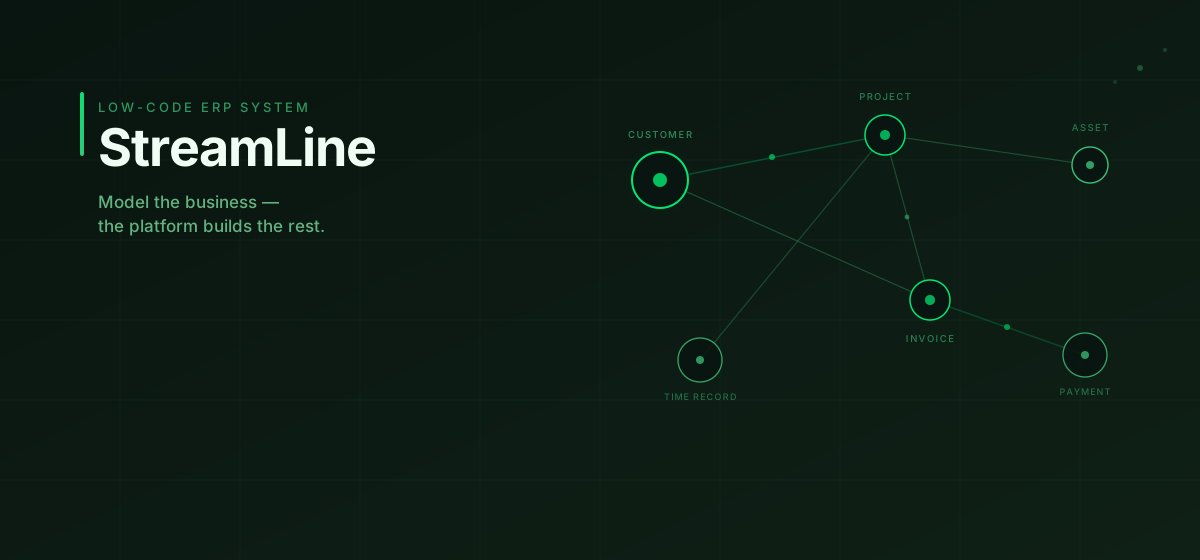
- Node view — a Blender-style canvas where objects are nodes and references are drawn as connections. You drag nodes, draw relations, and save the layout. For process diagrams, equipment graphs, or org charts, the spatial arrangement is the information.
A node-graph editor over live business data is the kind of thing you almost never see in an ERP system, and it falls out naturally from a model where relations are first-class.
One query language, used everywhere
StreamLine has a single typed query grammar, and it shows up in the table view, the node view, bulk operations, custom forms, triggers, and analytics — learn it once, use it everywhere.
Conditions live in square brackets and combine with &, |, !, and parentheses:
[class=Car] & [Power>120]                cars with more than 120 PS
[Birthday~04.04]                         anyone born on April 4 of any year
[Amount>1.000]                           amount over 1000 (German locale: dot = thousands)
[Married=y]                              yes/no synonyms: yes · true · 1 · y · ja
!([Status=Closed] | [Status=Archived])   not closed or archived
[Power~]                                 "Power is set"
[class=Car] & ![Last Service~]           cars with no last-service date recorded
Two matching modes coexist: typed comparison when you lead with an operator (=, <>, <, <=, >, >=) — fast, exact, locale-aware — and case-insensitive substring match otherwise, run against the formatted display text including unit suffixes. The same expression that filters a table also scopes a dashboard widget and feeds a trigger's queryObjects() call. One grammar, no dialect drift between modules.
Automation without a separate integration layer
This is where StreamLine stops being a database with forms and becomes programmable. Triggers are TypeScript handlers that run server-side in a sandbox, and they come in four shapes:
- Synchronous (
onObjectCreated/Updated/Deleted) run inside the originating transaction and cancancel()it — real validation and pre-flight checks that block a bad write before it commits. - Asynchronous (
afterObjectCreated/Updated/…) run after commit for side effects — derived fields, notifications, cross-class updates, outbound HTTP. - Scheduled (
onSchedule) fire on a cron expression or a one-time timestamp, with explicit catch-up policies (skip,runOnce,runAll) that decide what happens to firings missed during downtime. - External API (
onApiRequest) expose authenticated HTTP endpoints. This turns the ERP system itself into an integration server: a request hits/api/ext/{aether}/{path}, passes through Bearer-token auth, per-token rate limiting, a CORS allowlist, and body-size limits, then your handler reads the body and controls the response.
A synchronous validation trigger is just a few lines:
// onObjectDeleted | Invoice
const status = ctx.event.old?.['Status']?.value;
if (status === 'Active' || status === 'Pending') {
  ctx.cancel('Cannot delete an invoice with status "' + status + '". Archive it first.');
  return;
}
ctx.continue();
The engine detects cyclic trigger chains at compile time and guards re-entrant calls at runtime, so automation can't quietly loop itself into an outage. Handlers can read and write objects, call external APIs with timeout and retry, hash payloads, and log to the audit trail — everything an integration normally needs a separate middleware tier for, running next to the data it operates on.
Custom forms sit alongside triggers: a visual builder with conditional visibility, computed fields, and TypeScript submit handlers that create or update objects across multiple classes in a single transaction. A form can be published as a public, token-URL page so people without a login — customers, applicants, field staff — can submit structured data straight into your model.
End-to-end encryption most ERP systems simply don't have
Any property can be flagged encryption-supporting. Values entered there are encrypted in the browser before they leave the device, stored as ciphertext, and decrypted only in the browsers of named recipients. The server, the database, and the on-disk file storage never see plaintext.
The scheme is standard hybrid encryption — a per-value AES-256-GCM key, itself RSA-OAEP-4096-wrapped once per recipient — with private keys generated client-side via WebCrypto and never uploaded. The properties that matter for an ERP system carry through: a bank account number, a salary, a contract scan. A leaked database dump, a curious admin, or a stolen backup expose nothing.
The part that makes this usable rather than a novelty is how the rest of the platform respects it. Encrypted scalar values store NULL in the regular column, so dashboard aggregations (sum, average, count) skip them instead of leaking totals; the full-text index excludes them; the audit log records that a value changed, never the value. You can run analytics across a class where some rows are encrypted without those rows bleeding information through a chart. Key rotation re-wraps only the small per-value keys — rotating against ten thousand values is one database transaction, not a re-encryption of every payload.
Versioning and audit — including the schema
Every save of an object, and every edit to a class definition, captures a new version. From the entity view you can step through history on a read-only banner, inspect a chronicle of changes with diff chips, and roll back — non-destructively, producing a new version from the old data. Class versioning extends the same idea to the schema: add a property, decide it was a mistake, roll the class back, and the instance data is preserved under the property lifecycle rules. Schema time-travel is rare in line-of-business software, and it changes how willing a team is to evolve its model.
Underneath sits an audit log that records every create, update, delete, share, permission grant, and encryption-recipient change with the actor, timestamp, and a readable diff. For regulated contexts there is an optional hash chain: each finalized invoice gets a SHA-256 hash derived from its own immutable fields plus the previous invoice's hash, so altering any record breaks every hash after it. Combined with the audit log and readOnly / setOnce flags, that covers the tamper-evidence and immutability requirements German GoBD rules place on tax-relevant documents.
Permissions built for least privilege
Access is default-deny and flows top-down: aether → class → object, with each level able to override the inherited value. You can grant a single user read on one specific object without giving them the class — "send this contract to one person" — and you can share a saved table or node view with someone who has no class access at all; the share is the access, scoped to exactly the rows and columns that view returns and nothing more.
Enforcement is zero-trust: permissions are checked on every request, and any route not explicitly mapped is refused rather than passed through, so a newly added endpoint can't accidentally become an open door. There are no property-level permissions by design — sensitive fields are protected by moving them into a separate class and denying access to it, at which point the reference is hidden everywhere automatically. It's a smaller surface to reason about and a harder one to misconfigure.
Analytics on the same engine
Dashboards are built from widgets, and each widget runs on the same query engine the table view uses — so a filter you trust in a grid means the same thing in a chart. Beyond the usual group-by dimensions and sum / avg / min / max / percentile measures, the model supports derived fields: per-row arithmetic computed before aggregation, which is the only correct way to express something like SUM(hours × hourly_rate) — you can't get there by multiplying two separate sums. Derived fields carry conditional logic (IF / THEN / ELSE, comparisons, AND / OR / NOT, IS NULL), running sums for cumulative balances, and pivots that turn a dimension's values into side-by-side columns. Click a bar and you drill straight through to the rows that produced it. And — as above — encrypted rows count as NULL, so no aggregate ever leaks what a chart shouldn't show.
Multi-user by default
StreamLine behaves like a shared workspace, not a single-tenant tool. Comments attach to any object with @mentions that notify and auto-subscribe; watch lists, an in-app notification stream, and live presence show who else is on the same record; and pessimistic checkout locking stops two people from silently overwriting each other — bulk operations even skip rows another user is editing and report the count. Bulk edits themselves come with safety nets: update or delete everything matching a query across pages, with a hard cap that refuses to run on an oversized match, per-row permission checks, lock-awareness, and a full audit entry per affected object. CSV import is transactional and per-row validated — one bad row rolls back the batch.
Built to run where your data has to live
The stack is deliberately conventional — Angular and Tailwind on the client, NestJS on the server, PostgreSQL for storage, fronted by nginx with TLS. It deploys from a clean Debian server with Docker Compose; the database and application containers stay bound to localhost behind the reverse proxy, with nginx the only public-facing process. Nothing about the architecture requires a cloud tenancy. For organizations that can't send customer data to a third party — or simply prefer not to — StreamLine runs entirely on-premise, which is exactly what the end-to-end encryption and zero-trust permission model assume.
What it adds up to
Standard ERP systems make you adapt the business to the software and treat customization, integration, encryption, and audit as separate projects bolted on later. StreamLine inverts that: you model the business once, and forms, queries, dashboards, automation, real-time collaboration, versioning, audit, and end-to-end encryption all come from the same core. The pieces that are genuinely hard to retrofit — schema time-travel, client-side encryption that even your own dashboards can't see through, a programmable trigger layer with compile-time safety, zero-trust permissions — are built in from the start.
If you're weighing whether to bend your processes around another fixed-module ERP platform, or you want a system you can shape like code and run on your own infrastructure, we'd be glad to show you StreamLine on your own data model. Get in touch.
Have thoughts on this? Reach out directly.
Discuss this article